3D & SimulationSDF
SDF Switch
Passes one of several wired SDF chains through, chosen by an Index you can animate or map.
SDF Switch is a selector. Wire several SDF branches in, set Index, and only that branch continues down the chain.
- Inputs grow as you wire them; one empty slot always waits
- Index is a normal parameter: drive it from a modifier, MIDI, or the timeline to cut between models
- Found under SDF → Model in the operators panel
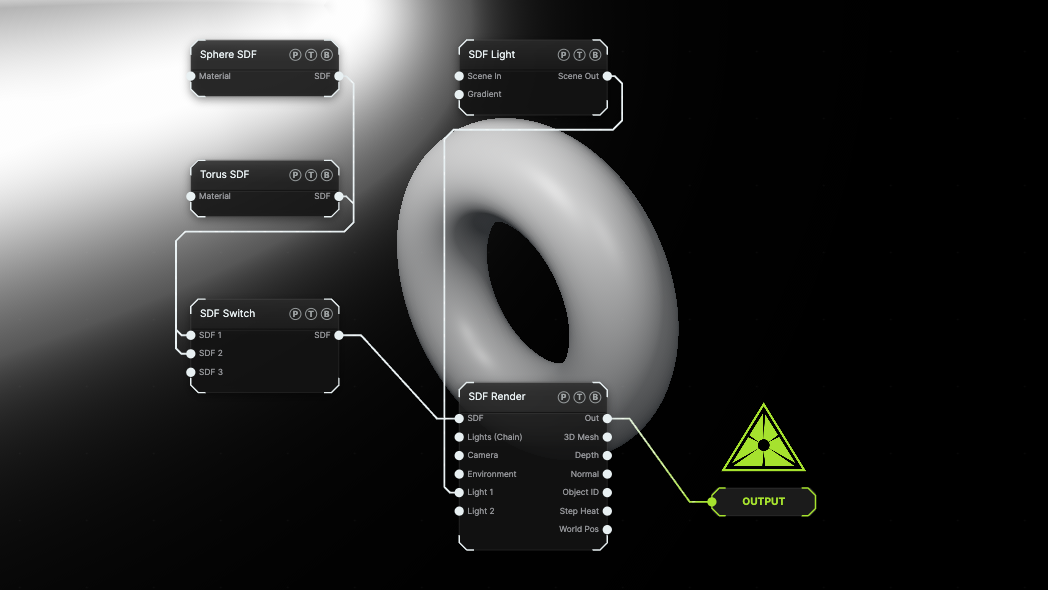
The image on the right is the example patch itself. Drag and drop it onto the app, or load it with File → Load, to open the full graph. A Sphere and a Torus share one render; Index picks which one shows.
Inputs and outputs
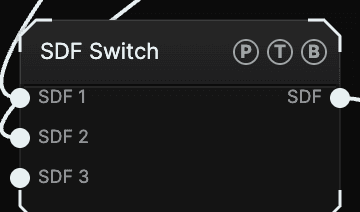
| Port | Type | Purpose |
|---|---|---|
| SDF 1, SDF 2, … | SDF | The candidate branches. Index 0 is SDF 1. |
| SDF | SDF | The selected branch. |
Parameters
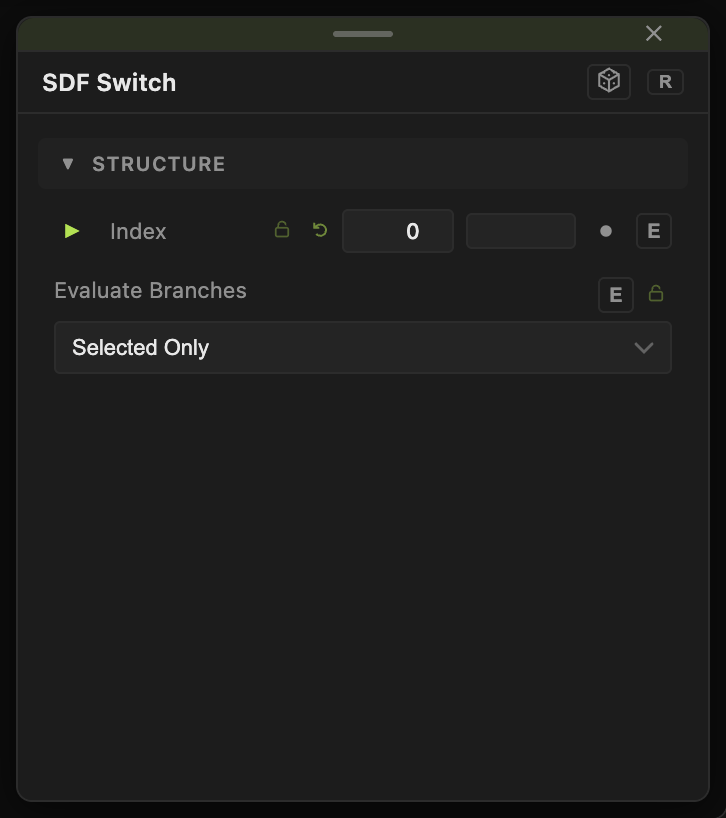
- Index (0–7, default 0) — which input passes through, counted from 0. It has a per-parameter animation bar.
- Evaluate Branches — Selected Only (default) or All Wired. Switching routes; it does not stop upstream nodes from running. With All Wired, every branch keeps evaluating so stateful chains, such as one fed by a particle system, stay warm and switch without a hitch.
Examples
Beat-synced model swap — wire three primitives, then drive Index with a Count modifier triggered by a Sound modifier.
Troubleshooting
A branch snaps or restarts when selected. Set Evaluate Branches to All Wired so the branch keeps running while it is hidden.
Index above the wired count — the output is empty. Keep Index within the number of wired inputs.