Animation & ControlModifiers
Mouse
Outputs mouse X, mouse Y, or the button state over the viewport.
The Mouse node reads the pointer.
- Axis X, Y, or Button
- Smoothing
- Found in the node graph under Modifiers → Interactive
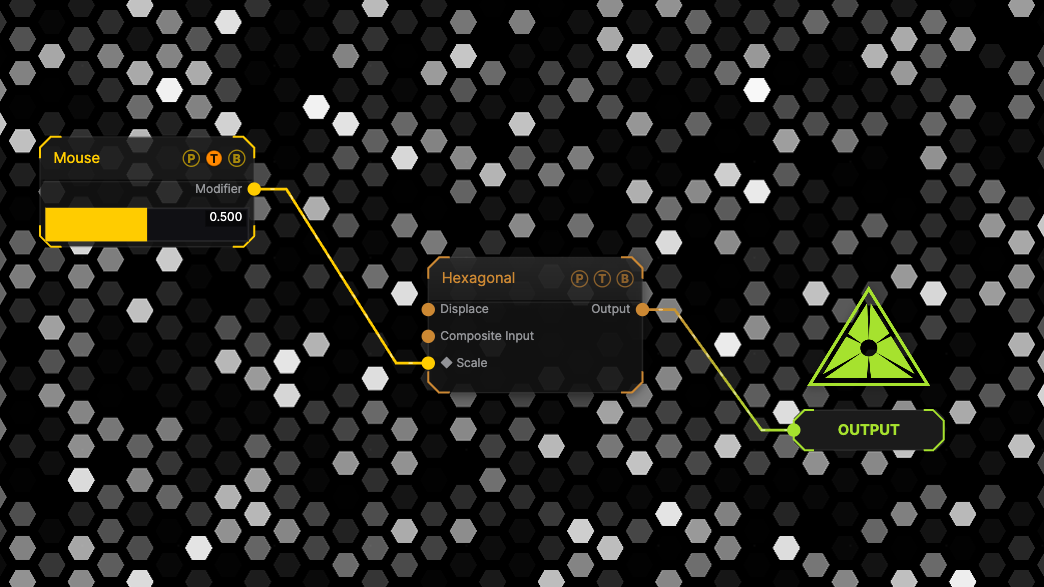
The image on the right is the example patch itself. Drag and drop it onto the app, or load it with File → Load, to open the full graph. Move the pointer across the viewport and the generator Scale follows.
Inputs and outputs

| Port | Type | Purpose |
|---|---|---|
| Modifier | Modifier | Drag it onto a parameter row, or wire it into another modifier's input. |
Parameters
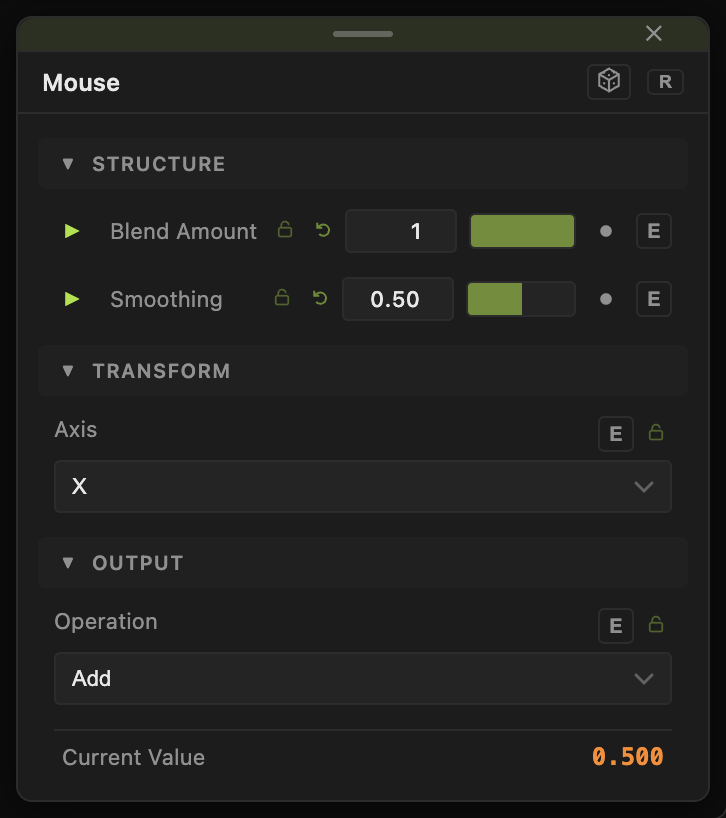
- Axis — X (default), Y, Button.
- Smoothing (0–0.99, default 0.5).
Every slider has a per-parameter animation bar and can itself be driven by another modifier.
Examples
Look around — two Mouse nodes, X and Y, bound to a camera's Yaw and Pitch.
Troubleshooting
The value sticks — the pointer left the viewport; the last value is held.