Auragen docs
Auragen docs

Getting Started

OverviewInterfaceNode GraphParameters and Controls

Operators

Surfaces

Geometry

PrimitiveMeshImage PlaneExtrude3D GraphReflectorKinect MeshMergeNullCopy GeometryRealizeSwitch (Surface)

Materials

MaterialGlass MaterialBlend MaterialsMapping

Deformers

Transform DeformerNoise DisplaceTexture DisplaceCurl NoiseTurbulence3D PlasmaTwistBendTaperShearWave / RippleRipple (Expanding)SineOcean WaveInflateSpherifyBulgeFlatten (Plain)PushQuantizeDistortion / GlitchBevelMirrorSliceCullColor RampParticle DeformerAudio (FFT)InfectionIsland ClonerCloth Deformer

Physics

Force Affector

Topology

SubdivideSmoothDecimateRemeshBooleanClose HolesExtrude FacesSeparate FacesWireframeFlip Polygons

Lighting

LightSpotlightDirectional LightArea LightEnvironment

Camera

CameraMulticamUV Camera
3D PreviewperformMODE
3D & SimulationSurface Operators

Flip Polygons

Reverses winding and normals. No field, no transform.

The Flip Polygons node turns the mesh inside out, which fixes a model whose normals point the wrong way.

Flip Polygons

  • No parameters
  • Found in the node graph under Surfaces → Topology
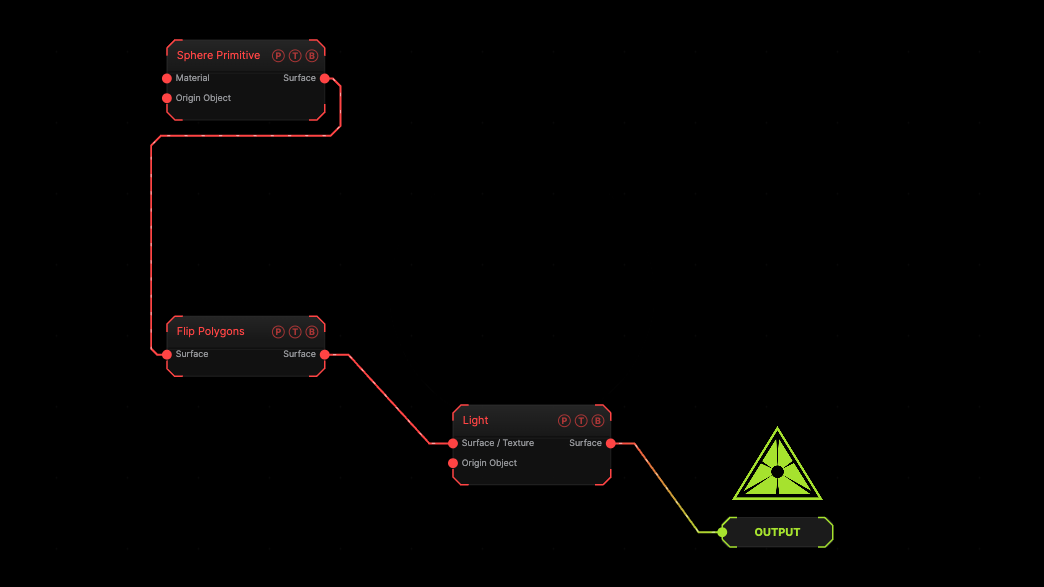
Example patch — drag onto the app to load

The image on the right is the example patch itself. Drag and drop it onto the app, or load it with File → Load, to open the full graph. A sphere with its faces flipped.

Inputs and outputs
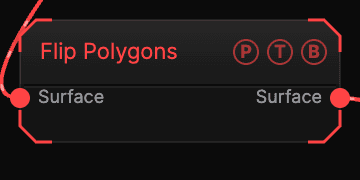
Flip Polygons node

PortTypePurpose
SurfaceSurfaceThe mesh.
SurfaceSurfaceThe flipped mesh.

Parameters

Flip Polygons parameters

This node has no parameters.

Every slider has a per-parameter animation bar, so it can be animated, audio driven, or MIDI mapped.

Examples

Skydome — a large Sphere, Flip Polygons, an Image Plane texture on the inside.

Troubleshooting

Now the outside is invisible — that is the point. Use a Material with Sides Double if you want both.

Related

Material

The Sides control.

Wireframe

Turns every edge into a tube and every vertex into an optional joint.

Light

A point light appended to the chain, with range, ambient, and shadows.

On this page

Inputs and outputsParametersExamplesTroubleshootingRelated