3D & SimulationSurface Operators
Kinect Mesh
Triangulates a live Kinect depth stream into a coloured mesh.
The Kinect Mesh node builds geometry from the depth camera every frame.
- Mesh Resolution Scale, Max Edge Length, Depth Scale
- Colour mapping, smoothing, and a Render Mode of polygons, lines, or points
- Found in the node graph under Surfaces → Geometry
Inputs and outputs
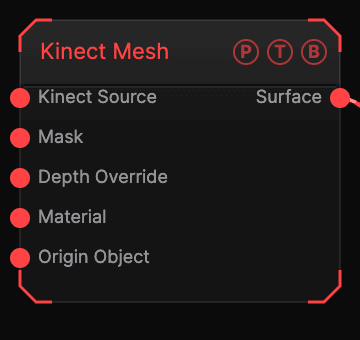
| Port | Type | Purpose |
|---|---|---|
| Kinect Source | Surface | The Kinect Source node. |
| Mask | Texture | Limits which pixels become geometry. |
| Material | Surface | Used when Use Material Input is on. |
| Surface | Surface | The mesh. |
Parameters
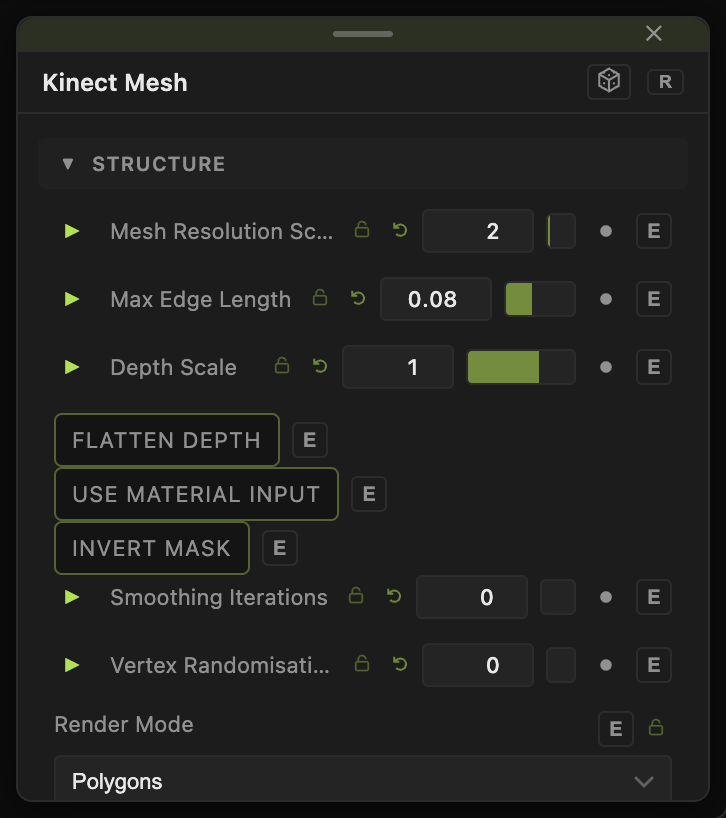
- Mesh Resolution Scale (1–16, default 2), Max Edge Length (default 0.08), Pivot Distance, Depth Scale (default 1), Flatten Depth.
- Flip Color Y (default on), Color Scale X / Y, Color Offset X / Y, Use Material Input, Invert Mask.
- Smoothing Iterations (0–8), Vertex Randomisation (0–1).
- Render Mode — Polygons (default), Lines, Points, Polygons + Lines; Flat Shading; Constant Color and Constant Color Amount.
- Position X / Y / Z, Rotate Heading / Pitch / Roll, Scale X / Y / Z, Uniform Scale — the standard transform block.
Every slider has a per-parameter animation bar, so it can be animated, audio driven, or MIDI mapped.
Examples
Point cloud — Render Mode Points, Mesh Resolution Scale 1.
Troubleshooting
Nothing renders — the Kinect Source must report a connected device. See Input Sources.